Smartest gadgets, always

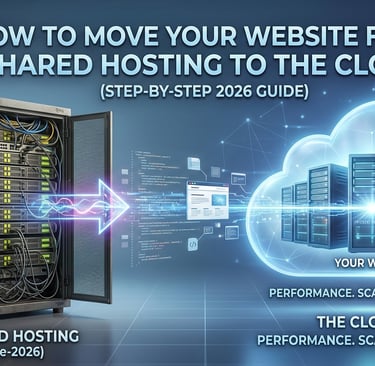
How to Move Your Website from Shared Hosting to the Cloud (Step-by-Step 2026 Guide)
Ditch the "noisy neighbors" of shared hosting for the high-octane performance of the cloud. This updated **2026 step-by-step guide** walks you through migrating your site with zero downtime, ensuring better scalability, faster load times, and rock-solid security. Perfect for growing brands ready to level up their infrastructure.
TECH
M. Hasan
4/17/20262 min read

If you started your website on shared hosting, you probably did it for the price. It’s the "training wheels" of the internet—affordable, easy, and good enough for a few hundred visitors a month.
But as your traffic grows, those training wheels start to wobble. Maybe your pages are taking five seconds to load, or perhaps you’ve seen the dreaded "500 Internal Server Error" during a peak traffic hour.
In 2026, user experience is the #1 SEO ranking factor. If your hosting is holding you back, it’s time to "level up." Here is your ultimate guide to migrating to the cloud.
1. The Warning Signs: Have You Outgrown Shared Hosting?
Shared hosting means you are sharing a single server's resources (CPU, RAM) with hundreds of other websites. You’ve outgrown it if:
The "Neighbors" are Loud: Your site slows down because another site on the same server is getting a traffic spike.
Constant 500/503 Errors: Your server is hitting its resource limit and crashing.
Slow TTFB: Your "Time to First Byte" is lagging, hurting your Core Web Vitals.
Scaling is Impossible: You can’t simply add more RAM or CPU power with one click.
2. Choosing Your Destination: DigitalOcean vs. AWS
In 2026, "The Cloud" isn't a monolith. You need to choose a provider that fits your technical comfort level.
DigitalOcean: The "Simplicity" King
DigitalOcean is perfect for developers and growing businesses who want the power of the cloud without the complexity of a 500-page manual.
Pros: Fixed monthly pricing, incredibly easy "Droplet" (server) setup, and excellent documentation.
Best for: Standard WordPress sites, small e-commerce stores, and app developers.
AWS (Amazon Web Services): The "Infinite Scale" Choice
AWS is the gold standard for enterprise-level scaling.
Pros: Access to the same infrastructure that powers Netflix and Amazon. You can scale to millions of users instantly.
Cons: The learning curve is steep, and the "pay-as-you-go" pricing can be unpredictable if not monitored.
Best for: High-traffic SaaS platforms and global e-commerce giants.
3. The 2026 Shortcut: Automated Migration Tools
The fear of "breaking the site" is what keeps most people on slow shared hosting. However, modern tools have made the "manual migration" a thing of the past.
If you are looking for the easiest path, Hostinger’s Automated Migration Tool is a game-changer. When you sign up for their Cloud Hosting plans, you simply provide your old site's URL and login details, and their AI-driven system handles the transfer of files and databases in the background—zero downtime required.
For WordPress users, plugins like All-in-One WP Migration or Duplicator remain solid choices for a DIY move.
4. Step-by-Step Migration Checklist
If you're ready to make the move manually, follow these five steps:
Backup Everything: Use a plugin or cPanel to download a full backup of your files and your SQL database.
Spin Up Your Cloud Server: Set up your "Droplet" (DigitalOcean) or "EC2 Instance" (AWS).
Transfer Files & Database: Upload your files via SFTP and import your database via phpMyAdmin or Command Line.
The "Staging" Test: Update your local hosts file to preview the site on the new cloud IP before making it live.
Point the DNS: Once everything looks perfect, update your A Records at your domain registrar (e.g., Namecheap or GoDaddy) to point to your new cloud IP.
5. Life After the Move: What to Expect
Once you migrate to the cloud, you’ll notice an immediate drop in load times. Cloud hosting provides dedicated resources, meaning your CPU and RAM belong to you alone. In 2026, speed isn't just a luxury—it’s your competitive edge.
Ready to Level Up?
Best for Simplicity: Sign up for DigitalOcean
Tech Sheba
Smartest Gadgets, Always
Contact
© 2026. All rights reserved.